
Lights, Camera, Actions!
We’ve been working harder than ever on our backend and mobile apps to improve our customer experience, and we've just released a new version of the ImmoTrack GPS app for Android and iOS. This update focuses on two things our customers care about most: keeping your vehicle location private, and making the app easier to use day-to-day.
Quick-Action Buttons
We've added quick-action buttons to the vehicle command screen for the most common actions. No more digging through menus - the actions you use most are now front and centre. Vehicles with our immobiliser fitted will have more quick actions than for vehicles with just GPS tracking of course, as shown in the example image.
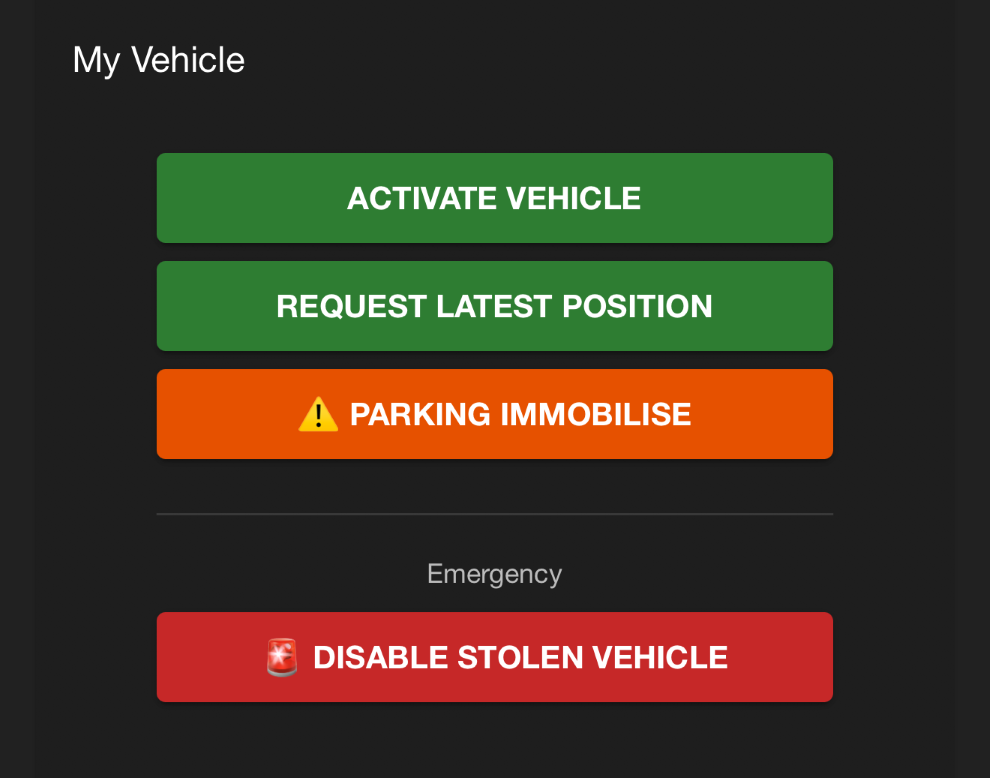
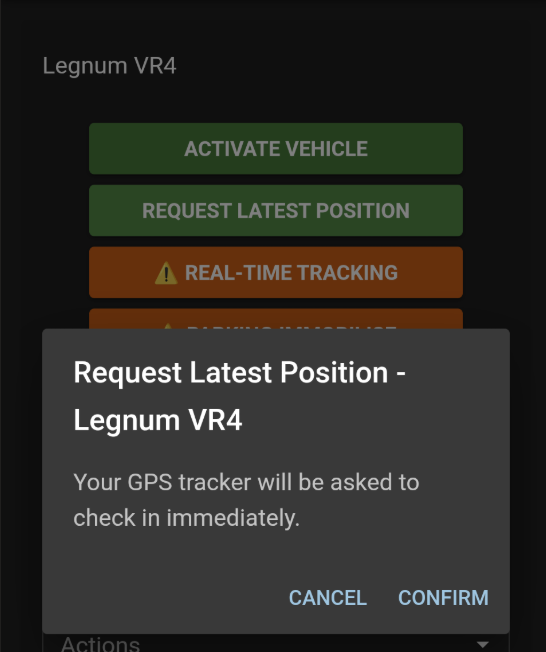
The buttons are large, and designed with high contrast readability in mind, but even those with great eyesight will occasionally hit the wrong button. Therefore, when using a Quick Action we also show a pop-up window explaining what the Quick Action does. We do strive to make our commands simple, but it’s nice to have the reminder about what is about to happen, as well as ensure that before you click that final confirmation, you have a chance to read the notes and cancel!
Privacy and Security
Your vehicle's location is sensitive information, and we've taken steps to make sure it stays that way. The app now supports biometric authentication enforcement - Face ID, fingerprint, or your device PIN/unlock. When enabled, you'll need to authenticate before the app shows your vehicle's location on the map. This means even if someone picks up your unlocked phone, they can't see where your vehicles are without passing the biometric check.
Biometric authentication (Face ID/fingerprint) is enforced if you have this enabled on your device, and it is especially important if you have immobiliser-equipped vehicles in your account. If you hand off your phone to your offspring, they won’t be able to accidentally immobilise (or activate!) your vehicles.
Other Improvements
Fixed a brief flash of the map image that could appear before your vehicle's GPS location was ready
Push notification improvements on Android
Password reset via email now opens directly in the app rather than opening Chrome/Safari
A number of minor UI improvements across the board for a smoother experience
The update is available now on the App Store and Google Play.


If you have any questions or feedback, drop us a line - we’d love to hear from you.